What's new in Kotlin 2.4.0
The Kotlin 2.4.0 release is out! Here are the main highlights:
Standard library: Stabilized support for the UUID API and support for checking sorted order
Kotlin/JVM: Support for Java 26 and annotations in metadata enabled by default
Kotlin/Native: Support for Swift packages as dependencies, updates on Swift export, and the CMS GC enabled by default
Kotlin/Wasm: Incremental compilation enabled by default and support for WebAssembly Component Model
Kotlin/JS: Support for value class export and ES2015 features in JS code inlining
Gradle: Compatibility with Gradle 9.5.0
Maven: Automatic alignment between Java and JVM target versions
Kotlin compiler: More consistent inline function behavior during
.klibcompilation
You can also find an overview of the updates in this video:
Update to Kotlin 2.4.0
The latest version of Kotlin is included in the latest versions of IntelliJ IDEA and Android Studio.
To update to the new Kotlin version, make sure your IDE is updated to the latest version and change the Kotlin version to 2.4.0 in your build scripts.
New features
In previous Kotlin releases, several new features were introduced as Experimental. The following features have now graduated to Stable in Kotlin 2.4.0, so you no longer need to opt in to use them:
New features
Language
Kotlin 2.4.0 promotes context parameters, explicit backing fields, and annotation use-site targets features to Stable. This release also introduces explicit context arguments for context parameters.
Stable features
Kotlin 2.2.0 and 2.3.0 introduced a few language features as Experimental. We're happy to announce that the following language features are now Stable in this release:
Context parameters, except for context arguments and callable references
See the full list of Kotlin language design features and proposals.
No more deprecation warnings on the last segments of imports
In previous Kotlin versions, when a deprecated class was imported, the deprecation error was reported at the call site as well as at the import directive itself. As there's no way to suppress deprecation errors on imports, you may have worked around this by suppressing deprecation reports for the entire file or by using star imports.
Since reporting the deprecation on the import of a called symbol isn't useful in most cases, Kotlin 2.4.0 doesn't issue a warning when the deprecated symbol is referenced in the last segment of the import directive.
For more information, see KT-30155.
Explicit context arguments for context parameters
Kotlin 2.4.0 introduces explicit context arguments for context parameters.
Kotlin 2.3.20 changed the overload resolution for context parameters. As a result, calls to overloads that differ only by context parameters can become ambiguous.
You can now resolve this ambiguity by passing an explicit context argument at the call site.
Here's an example:
You can also use explicit context arguments instead of the context() function to reduce nesting and make some calls easier to read. If you need to use the same context arguments in multiple calls, use the context() function instead.
This feature is Experimental. To opt in, add the following compiler option to your build file:
For more information, see the feature's KEEP.
Support for collection literals
Kotlin 2.4.0 introduces experimental support for collection literals. You can now create collections in a simpler and more concise way using brackets [].
For example:
If the compiler doesn't have enough information to infer the collection type, it defaults to the List type:
You can also declare custom operator fun of functions to use bracket syntax with your own types. For example, if you have the following DoubleMatrix class:
You can create an identityMatrix class instance like this:
In this example, the compiler translates the nested collection literals into calls to the corresponding operator fun of functions. The compiler resolves these calls recursively and uses the expected types to choose the correct overloads.
This feature is Experimental. To opt in, add the following compiler option to your build file:
For more information, see the feature's KEEP.
Improved compile-time constants
Kotlin 2.4.0 brings experimental improvements to compile-time constants, making support for numeric and string types more consistent and easier to use. These improvements include support for:
Unsigned type operations.
Standard library functions for strings, like
.lowercase(),.uppercase(), and.trim()functions.Evaluation of the
.nameproperty of enum constants and theKCallableinterface.
To make it clear which functions are evaluated at compile time, Kotlin 2.4.0 introduces the IntrinsicConstEvaluation annotation. Some functions are evaluated at compile-time but don't have the annotation yet. Later releases will add the annotation to the remaining functions. For a list of supported functions, see the KEEP appendix.
This feature is Experimental. To opt in, add the following compiler option to your build file:
For more information, see the feature's KEEP.
Improved unused result checks for higher-order functions
Kotlin 2.4.0 introduces a new Experimental returnsResultOf() contract to improve the unused return value checker.
This contract enables the checker to distinguish between unused results that can be ignored and meaningful unused results from higher-order functions that return the result of a lambda, such as the let scope function.
To use this feature, add returnsResultOf() to the function's contract:
Here's an example that uses a custom .customLet() function with a nullable value:
The unused return value checker is Experimental and must be enabled to report unused return values. For more information about enabling and configuring the checker, see Unused return value checker.
How to enable
The returnsResultOf() contract is Experimental. Be aware that using it produces pre-release binaries that earlier Kotlin compiler versions can't read. To opt in, add the following compiler option to your build file:
New @IntroducedAt annotation to generate version-based overloads for optional parameters
Kotlin 2.4.0 introduces the @IntroducedAt annotation for preserving binary compatibility when adding new optional parameters to published APIs.
Previously, adding optional parameters to a function often required using @JvmOverloads, which can generate more overloads than needed. Alternatively, preserving binary compatibility required you to keep older signatures as hidden deprecated overloads.
With the @IntroducedAt annotation, you can annotate newly added optional parameters with the version in which they were introduced. The compiler uses this information to automatically generate the corresponding hidden overloads.
This annotation is Experimental. To opt in, use the @OptIn(ExperimentalVersionOverloading::class) annotation.
Here's an example:
In this example, the compiler generates hidden overloads for the older versions of the Button() function.
Since both @IntroducedAt and @JvmOverloads generate overloads, using them together can cause conflicting overloads. If you use both annotations, the compiler reports a warning. If you suppress the warning, the compiler prioritizes overloads generated from the @IntroducedAt annotation.
Standard library
Kotlin 2.4.0 stabilizes support for UUIDs in the common Kotlin standard library. It also adds new extension functions for converting unsigned integers to BigInteger on the JVM and support for checking sorted order.
Stable UUID API in the common Kotlin standard library
Kotlin 2.0.20 introduced a class for generating UUIDs (universally unique identifiers) and added support for converting between Kotlin and Java UUIDs. Later releases gradually improved this experimental feature by adding support for:
In Kotlin 2.4.0, the kotlin.uuid.Uuid API becomes Stable. The only exceptions are the functions for generating V4 and V7 UUIDs, which remain Experimental and still require opt-in.
For more information about how to work with UUIDs, see UUIDs.
Support for checking sorted order
Kotlin 2.4.0 adds new extension functions for checking sorted order in iterables, arrays, and sequences.
This includes the following extension functions:
.isSorted().isSortedDescending().isSortedWith(comparator).isSortedBy(selector).isSortedByDescending(selector)
You can use these extension functions to check whether elements are already sorted, without sorting them again or creating your own helper functions. They return true if the elements are in the specified order, or if there are fewer than two elements, and false otherwise. These functions stop as soon as they encounter an out-of-order pair, which makes them efficient for large inputs.
Here's an example of checking sorted order with .isSorted() and .isSortedBy() functions:
New API for converting unsigned integers to BigInteger on the JVM
Kotlin 2.4.0 introduces the UInt.toBigInteger() and ULong.toBigInteger() extension functions on the JVM.
Previously, converting UInt and ULong values to BigInteger required string-based workarounds or custom conversion logic. Starting with Kotlin 2.4.0, you can now use .toBigInteger() to convert unsigned integer values directly to BigInteger.
Here's an example:
New map fallback functions to distinguish null values and missing keys
Kotlin 2.4.0 adds new variants of the existing .getOrElse() and .getOrPut() map extension functions for maps with nullable values. These functions retrieve a value for a key or use a default value as a fallback. For maps with nullable values, the new variants let you choose whether a stored null value behaves like a missing key or an existing value, and they make that choice clear in their function names.
The new extension functions include the following:
.getOrElseIfNull(key, defaultValue)and.getOrPutIfNull(key, defaultValue), which return the default value if the key is missing or has anullvalue, similar to the existing.getOrElse()and.getOrPut()functions..getOrElseIfMissing(key, defaultValue)and.getOrPutIfMissing(key, defaultValue), which return the default value only when the map doesn't contain the specified key.
These APIs are Experimental and require opt-in with the @OptIn(ExperimentalStdlibApi::class) annotation.
Here's an example that demonstrates the difference between .getOrPutIfNull() and .getOrPutIfMissing() when the key exists with a null value:
You can also use the .getOrElseIfMissing() and .getOrPutIfMissing() functions for caches that store nullable values. If defaultValue returns null, the map stores it and doesn't call defaultValue again for the same key.
Here's an example:
We would appreciate your feedback in YouTrack.
Kotlin/JVM
Kotlin 2.4.0 supports a new Java version and enables annotations in metadata by default.
Support for Java 26
Starting with Kotlin 2.4.0, the compiler can generate classes containing Java 26 bytecode.
Annotations in metadata enabled by default
The Kotlin Metadata JVM library in Kotlin 2.2.0 introduced support for reading annotations stored in Kotlin metadata. With this support, the Kotlin compiler writes annotations into metadata alongside the JVM bytecode, making them accessible to the Kotlin Metadata JVM library. As a result, annotation processors and other tools can understand and manipulate these annotations at the metadata level without using reflection or modifying source code.
In Kotlin 2.4.0, this support is enabled by default.
Kotlin/Native
Starting with Kotlin 2.4.0, Swift export is promoted to Alpha. This release also brings support for Swift package import, Xcode 26.4, improvements for memory consumption, and garbage collection.
Default concurrent marking in garbage collector
In Kotlin 2.0.20, the Kotlin team introduced experimental support for the concurrent mark and sweep garbage collector (CMS GC). After processing user feedback and fixing regressions, we are now ready to enable CMS by default, starting with Kotlin 2.4.0.
The previous default parallel mark concurrent sweep (PMCS) setup in the garbage collector had to pause application threads while the GC marked objects in the heap. In contrast, CMS allows the marking phase to run concurrently with application threads.
This significantly improves GC pause duration and app responsiveness, which is important for the performance of latency-critical applications. CMS has already demonstrated its effectiveness in benchmarks for UI applications built with Compose Multiplatform.
If you face problems, you can switch back to PMCS. To do that, set the following binary option in your gradle.properties file:
For more information on the Kotlin/Native garbage collector, see our documentation.
Reduced memory consumption during devirtualization analysis
Previously, devirtualization analysis was one of the most memory-consuming phases in the Kotlin/Native compiler. Namely, the link release task consumed too much memory, especially in large projects.
Kotlin 2.4.0 introduces improvements that help reduce peak memory consumption during link release tasks.
According to benchmarks from one of our EAP users, the improved devirtualization analysis reduced memory consumption by link release tasks by half, saving at least 13 GB.
Support for Xcode 26.4
Starting with Kotlin 2.4.0, the Kotlin/Native compiler supports Xcode 26.4 – one of the latest stable versions of Xcode.
You can now update your Xcode and get access to the latest APIs to continue working on your Kotlin projects for Apple operating systems.
LLVM update to version 21
In Kotlin 2.4.0, we updated LLVM from version 19 to 21. The new version includes performance improvements and helps keep the Kotlin/Native compiler up to date.
This update shouldn't affect your code, but if you encounter any issues, please report them to our issue tracker.
Changes to Apple target support
Kotlin 2.4.0 raises the default minimum supported versions of Apple targets:
For iOS and tvOS, from 14.0 to 15.0.
For macOS, from 11.0 to 12.0.
For watchOS, from 7.0 to 8.0.
If you need to support a lower version in your project than the default one, use the freeCompilerArgs option in your build file:
Swift export goes Alpha with improved concurrency support
Starting with Kotlin 2.4.0, Kotlin's interoperability with Swift through Swift export is officially in Alpha! This release brings major improvements to concurrency support, adding native and direct structured concurrency to Swift export and the ability to export kotlinx.coroutines flows to Swift.
Support for structured concurrency
You can now seamlessly call suspending Kotlin code from Swift. Kotlin suspend functions and suspend functional types are exported as Swift's idiomatic async counterparts:
Export of flow types to Swift
This update also adds support for exporting kotlinx.coroutines flows to Swift. Flows in kotlinx.coroutines represent an asynchronous stream of data that can be emitted and consumed concurrently. They are commonly used for reactive programming patterns, such as listening for database updates, network requests, or UI events.
Previously, the only way to expose the Flow interface from kotlinx.coroutines.flow to Swift was through third-party solutions. Now you can export flows out of the box into Swift's idiomatic counterpart: AsyncSequence.
The feature is enabled by default. You can export any public API with the Flow type to Swift while preserving type information. For example:
For more information about Swift export, see our documentation.
Swift package import
Kotlin Multiplatform projects now can declare Swift packages as dependencies for an iOS app in their Gradle configuration:
For working samples and more detailed information, see SwiftPM import.
If your project relies on CocoaPods dependencies, you can migrate the current setup to use Swift packages. The KMP tooling accounts for this use case and helps you reconfigure the project automatically. For details, see our CocoaPods migration guide.
Kotlin/Wasm
Kotlin 2.4.0 enables incremental compilation for Kotlin/Wasm by default and introduces support for the WebAssembly Component Model.
Incremental compilation enabled by default
Kotlin/Wasm introduced incremental compilation in Kotlin 2.1.0. Starting with Kotlin 2.4.0, it is Stable and enabled by default. With this feature, the compiler rebuilds only the files affected by recent changes, which significantly reduces build time.
To disable incremental compilation, add the following line to your project's local.properties or gradle.properties file:
If you run into any issues, report them in YouTrack
Improved display of internal variables in Chrome DevTools
Kotlin 2.4.0 improves the debugging experience for Kotlin/Wasm in Chrome DevTools by making temporary, synthetic, and internal variables easier to distinguish from user-defined variables.
The Kotlin compiler and compiler plugins, such as Compose, can generate these variables. They now use the ~ prefix by default, so they are grouped together and moved to the end of the variable list, which Chrome DevTools sorts by name.
Support for the WebAssembly Component Model
Kotlin/Wasm goes a step further in Kotlin 2.4.0 by introducing experimental support for the WebAssembly Component Model. The proposal defines a way to build components from Wasm modules through standardized interfaces and types. This approach helps Wasm evolve from a low-level binary instruction format into a system for composing reusable, language-agnostic components. It enables Kotlin/Wasm to go beyond the browser. For example, Kotlin and WebAssembly are well suited for Function-as-a-Service, also known as FaaS or serverless, applications.
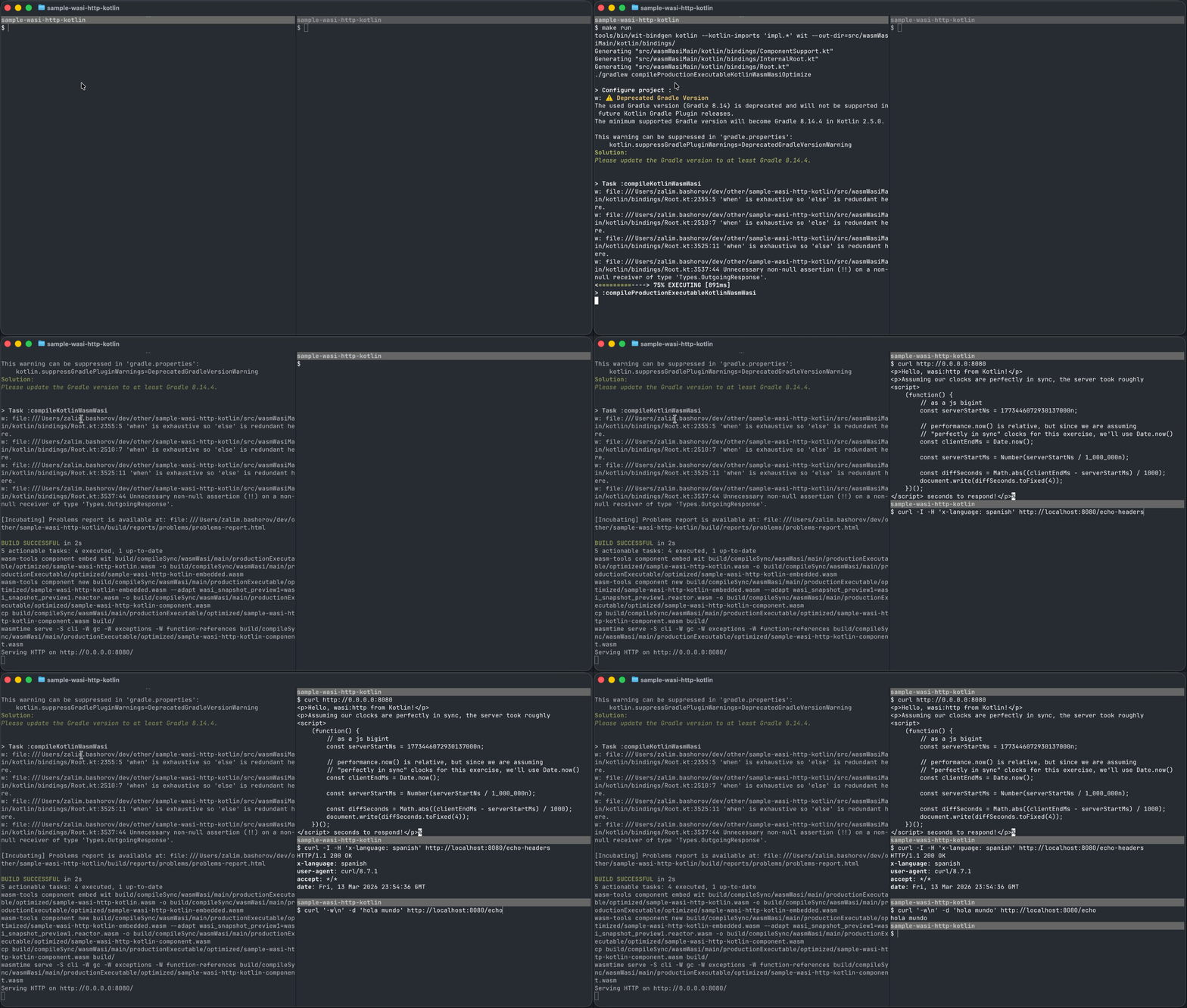
To try this feature, check out a simple server built with wasi:http.
Share your feedback in YouTrack.
Kotlin/JS
Kotlin 2.4.0 further improves export to JavaScript/TypeScript, including support for exporting value classes, interfaces, and type variance, as well as ES2015 features when inlining JS code.
Support for value class export to JavaScript/TypeScript
Previously, only regular Kotlin classes could be exported to JavaScript/TypeScript. Kotlin 2.4.0 lifts that limitation. You can now export Kotlin's inline value classes as regular TypeScript classes.
To export a value class, mark it with the @JsExport annotation on the Kotlin side:
From the TypeScript side, it looks like a regular class:
For more information, see @JsExport annotation.
Support for ES2015 features when inlining JS code
Starting with Kotlin 2.4.0, JavaScript code inlining has full support for ES2015 features.
It's useful for interoperability with third-party libraries, as well as for direct control over automatic application code generation.
Now you can use modern JS features inside js() calls, including:
constandletvariable declarationsES classes
Generators
Lambdas (arrow functions)
Spread and rest operators
Template strings
Remember that the parameter of the js() function should be a string constant because it's parsed at compile time and translated to JavaScript code "as-is". For example, to inline the spread operator, use:
For more information on inlining JavaScript code, see our documentation.
Preserve type variance when exporting to TypeScript
Previously, Kotlin variance information in generic positions was lost when exporting types to TypeScript.
With Kotlin 2.4.0, variance annotation is now saved during export and mapped to TypeScript's variance annotations.
In your Kotlin code, define the variance of your generic type parameters:
With Kotlin 2.4.0, the in and out keywords are preserved in the generated TypeScript output:
Improved interface export to JavaScript/TypeScript
Kotlin 2.4.0 makes it more convenient to export Kotlin interfaces to JavaScript/TypeScript.
The new @JsNoRuntime annotation removes the previously required metadata for implementing Kotlin interfaces, allowing the direct mapping to regular TypeScript interfaces, similar to how external interfaces already behave by default.
To export a Kotlin interface, for example in your Kotlin Multiplatform project, annotate it with @JsNoRuntime in the common code:
Then provide the actual implementation in your JS-specific source code:
Because the required metadata for implementing Kotlin interfaces is removed, the interface is mapped to a regular TypeScript interface:
The @JsNoRuntime annotation is only allowed on standard interfaces, so that TypeScript can treat Kotlin interfaces as regular TypeScript interfaces. Therefore, the following operations are prohibited:
isandastype checks.Class references with the
::classsyntax.Passing an interface as a reified type argument.
Lifting restrictions on exporting interfaces
Kotlin 2.4.0 makes another step toward the stabilization of @JsExport, improving how Kotlin interfaces are exported.
Now you can export Kotlin interfaces with nested classes and named companion objects:
For more information, see @JsExport annotation.
Gradle
Kotlin 2.4.0 is fully compatible with Gradle 7.6.3 through 9.5.0. You can also use Gradle versions up to the latest Gradle release. However, be aware that doing so may result in deprecation warnings, and some new Gradle features might not work. Kotlin 2.4.0 also brings improvements like consistent default module names across platforms and compiler messages written to the Problems API for the Kotlin/JVM.
Minimum supported AGP version bumped to 8.5.2
Starting with Kotlin 2.4.0, the minimum supported Android Gradle plugin version is 8.5.2.
Consistent module names across platforms
Prior to Kotlin 2.4.0, default module names differed across platforms. This inconsistency could cause naming conflicts and resolution issues. Kotlin 2.4.0 standardizes the default names to {group}:{project_name} across all platforms.
If you need to revert the JVM module name to its previous version, add the following to your build.gradle.kts file for a Kotlin/JVM project:
For a multiplatform project:
Compiler messages written to Problems API for Kotlin/JVM
In Kotlin 2.2.0, the Kotlin Gradle plugin (KGP) started reporting diagnostics to Gradle's Problems API to provide a consistent experience both in Gradle's CLI and in IntelliJ IDEA.
In Kotlin 2.4.0, the plugin also writes compiler messages to the Problems API for Kotlin/JVM, bringing the API closer to becoming a single source for all logs and messages.
Maven
Kotlin 2.4.0 makes project configuration even easier with support for Maven Toolchains and automatic alignment between Java and JVM target versions.
Automatic alignment between Java and JVM target versions
To simplify project configuration and prevent compatibility issues, the Kotlin Maven plugin now automatically aligns the JVM target version with the Java compiler version configured in the project.
This ensures that the Kotlin and Maven compilers target the same bytecode version, avoiding issues where Kotlin-generated bytecode is incompatible with the rest of the project or the intended deployment environment.
With the <extensions> option enabled, you don't need to set the kotlin.compiler.jvmTarget or kotlin.compiler.jdkRelease options. If neither of them is defined, the Kotlin Maven plugin automatically resolves the JVM target version in the following order:
As the
maven.compiler.releaseversion defined either as a project property or within themaven-compiler-pluginconfiguration.In this case, both
jvmTargetandjdkReleasecompiler options are set for the Kotlin compiler, limiting the API to a specific JDK version.As the
maven.compiler.targetversion in case the Maven release version is not set. The compiler target can be defined either as a project property or within themaven-compiler-pluginconfiguration.In this case, only Kotlin's
jvmTargetis set, and the API is not limited to a specific JDK version.
This greatly simplifies your Kotlin project configuration, so your pom.xml file can look like this:
During the build, the plugin outputs a similar message:
For more information about automatic project configuration, see our documentation.
Support for Maven Toolchains
Kotlin 2.4.0 introduces support for Maven Toolchains to the Kotlin Maven plugin.
The feature helps manage the JDK version in your build. With Maven Toolchains, you can specify the JDK version used for Kotlin compilation, independent of the JVM version running Maven (set in JAVA_HOME). When the maven-toolchains-plugin is configured in the build, the Kotlin Maven plugin automatically picks up the selected JDK toolchain, in the same way the Maven compiler plugin and other Maven plugins do. This allows you to configure a single toolchain to control the JDK used across all plugins in the build, including Kotlin compilation:
Keep in mind the priority of different ways to set up the JDK version:
jdkHomein thekotlin-maven-pluginconfiguration. An explicitly setjdkHomeoption always takes precedence over the toolchain version.JDK version in
maven-toolchains-plugin. The JDK version set through Maven Toolchains overrides the JDK version set in theJAVA_HOMEpath.The
JAVA_HOMEpath.
You can also use a plugin-specific <jdkToolchain> option to directly set the JDK version in the toolchain of kotlin-maven-plugin. Compared to using maven-toolchains-plugin, this parameter only affects Kotlin compilation and has no impact on other plugins in the build.
For more information on configuring Kotlin Maven projects, see our documentation.
Build tools API
Kotlin 2.4.0 brings a number of improvements to the build tools API (BTA). The BTA:
Introduces new type-safe abstractions for most JVM and common compiler options. The BTA now handles their format instead of the client, reducing the risk of errors and providing an additional layer of assistance. This change is backwards-compatible at runtime, but it may break source compatibility.
Can now track non-source changes in incremental compilation, such as configuring a different Kotlin version or changing compiler options. Build systems can control this behavior through the
BaseIncrementalCompilationConfiguration.TRACK_CONFIGURATION_INPUTSoption.Supports binary compatibility validation through the
AbiValidationToolchain, making it easier for other build systems to add this functionality.Introduces a new feature so that build systems can customize how compiler messages are displayed through the
CompilerMessageRendererinterface and theJvmCompilationOperationbuilder.Introduces new options for configuring Kotlin daemon logging:
LOGS_PATH— the directory for daemon log files.LOGS_FILE_SIZE_LIMIT— the maximum log file size in bytes.LOGS_FILE_COUNT_LIMIT— the maximum number of retained log files.
By default, limits are set to a value specific to the Kotlin compiler version. To have no limit, build tools must set the option to
null.Build systems can set the option when configuring the execution policy:
val executionPolicy = kotlinToolchains.daemonExecutionPolicy { set(ExecutionPolicy.WithDaemon.LOGS_PATH, Paths("/var/log/kotlin-daemon")) set(ExecutionPolicy.WithDaemon.LOGS_FILE_SIZE_LIMIT, 10_485_760L) set(ExecutionPolicy.WithDaemon.LOGS_FILE_COUNT_LIMIT, 10) }
Kotlin compiler
Kotlin 2.4.0 includes more consistent behavior for inline functions declared in the same module during .klib compilation.
Consistent intra-module function inlining during klib compilation
Previously, function inlining behaved inconsistently on different Kotlin platforms. The JetBrains team is working to unify it across all supported platforms to ensure the same compatibility guarantees.
On the Kotlin/JVM, function inlining happens at compile time. So, when Kotlin sources are compiled with the Kotlin/JVM compiler, the resulting class files have no inline function calls in the bytecode because the bodies of inline functions are inlined into their call sites, so their behavior is fixed during compilation.
On the contrary, on Kotlin/Native, Kotlin/JS, and Kotlin/Wasm, function inlining did not happen during source-to-klib compilation, only during binary generation. As a result, the behavior of inline functions wasn't fixed during .klib compilation, and .klib libraries didn't provide the same compatibility guarantees for inline functions as Kotlin/JVM does.
Kotlin 2.4.0 takes the first step in unifying the behavior of inline functions by enabling intra-module inlining when generating .klib artifacts:
When compiled to a .klib, the code looks something like:
This means only inline functions declared in the same module are inlined during .klib compilation. Other functions, in this case, are inlined during the generation of platform-specific binaries.
How to enable
Starting with 2.4.0, the intra-module inlining is enabled by default for Kotlin/Native, Kotlin/JS, and Kotlin/Wasm.
If you face unexpected problems with this feature, you can disable it using the following compiler option in the command line:
The next step is to enable cross-module inlining to ensure all inline functions in the project are consistently inlined. This change is planned for future Kotlin releases, but you can already try it out using the following compiler option in the command line:
Please share your feedback and report any problems in YouTrack.
Consistent partial library linkage across Kotlin compilers
In Kotlin 1.9.0, partial library linkage was enabled by default for both the Kotlin/Native and Kotlin/JS compilers, with Kotlin/Wasm following in Kotlin 2.0.0. This feature effectively makes compilers treat linkage issues in Kotlin libraries consistently with Kotlin/JVM.
Since then, we haven't received negative feedback and haven't noticed users disabling the partial linkage in their projects. That's why starting with Kotlin 2.4.0, the partial linkage is always enabled, and the -Xpartial-linkage compiler option is now deprecated.
The default log level for all Kotlin compilers is SILENT. Linkage issues are not reported during compilation. To change this behavior in your projects, set the -Xpartial-linkage-loglevel compiler option in your build file:
INFOreports linkage issues with the "info" log level.WARNINGreports warnings at compile time and records them in compilation logs.ERRORallows compilation to fail in case of linkage issues and reports errors in compilation logs. Use this option to examine the linkage issues more closely.
If you encounter issues with this feature, please report them in our issue tracker.
Kotlin compiler plugins
In Kotlin 2.4.0, Kotlin's compiler plugins received notable updates, too. The kapt plugin can now exclude unnecessary annotation processors from the compile classpath, and the Power-assert plugin offers simplified configuration through the new runtime library.
kapt: Exclude annotation processors from compile classpath
Kotlin 2.4.0 adds support for the includeCompileClasspath configuration option for annotation processor discovery, similar to the Kotlin Gradle plugin. The new option allows you to exclude unnecessary annotation processors from the compile classpath.
To configure this in your build file, set the includeCompileClasspath option to false in the <execution> section of the kapt plugin:
Alternatively, you can do the same with the kapt.include.compile.classpath in the <properties> section:
With the option set to false, annotation processors not included in the <annotationProcessorPaths> section of the kapt configuration are excluded from the kapt processing.
If includeCompileClasspath is not set and kapt detects an annotation processor on the compile classpath that is not explicitly defined in the <annotationProcessorPaths> section, you'll see the following deprecation warning:
For more information on kapt configuration, see our documentation.
Power-assert: New runtime library
Kotlin 2.4.0 makes Power-assert capable functions more discoverable and easier to configure with the new runtime library.
Previously, adopting Power-assert required complex build configurations and function parameter conventions. Starting with this release, Power-assert capable functions can use the new runtime library to integrate directly with the compiler plugin transformations.
This brings major improvements for both plugin users and library authors:
The new
CallExplanationdata structure provides detailed information about the call site. This enables more dynamic diagram rendering for assertion failures and better integration with external tools.The new
@PowerAssertannotation makes assertion functions instantly discoverable by the compiler plugin. That way, you can now add out-of-the-box support for Power-assert into your libraries.
For more information, see our documentation.
Compose compiler
With Kotlin 2.4.0, the Compose compiler offers more consistent incremental compilation and advances the deprecation cycle of several feature flags.
Consistent incremental compilation for internal declarations
Starting from Kotlin 2.4.0, the Compose compiler offers more consistent incremental compilation. Stability of internal types across different files is now inferred during runtime. This allows Compose to update inferred stability values even when class usages are not recompiled.
As a side effect, the size of your artifacts may increase whenever a @Composable function uses an internal class from a different file as a parameter. This is caused by the compiler encoding the execution paths for both stable and unstable cases, since stability has to be decided during runtime. This overhead of runtime stability is removed by minifiers that perform full-app optimizations (such as R8) as they are able to infer the unnecessary execution path and eliminate it.
This update does not change the final stability value, so the behavior of @Composable functions remains unchanged.
Feature flag deprecations
Kotlin 2.4.0 advances the deprecation cycle of experimental feature flags that graduated to stable and are now enabled by default:
StrongSkipping,IntrinsicRemember, and associated DSL properties are advanced toDeprecationLevel.ERROR. They will be removed in Kotlin 2.5.0.OptimizeNonSkippingGroupsandPausableCompositionare now deprecated. They are scheduled to be removed in Kotlin 2.6.0.
Breaking changes and deprecations
This section highlights important breaking changes and deprecations. For a complete overview, see our Compatibility guide.
Starting with Kotlin 2.4.0, the compiler no longer supports
-language-version=1.9. As a result, the K1 compiler is no longer supported.Kotlin 2.4.0 streamlines the DSL for binary compatibility validation in the Kotlin Gradle plugin and deprecates some parts. For the latest DSL, see Binary compatibility validation in the Kotlin Gradle plugin.
Support for Kotlin script execution through the
KotlinScriptMojoMaven plugin has been removed.
Documentation updates
We made the following documentation changes in the Kotlin ecosystem:
Liquid Glass in a Compose Multiplatform app – Migrate an iOS app from fully Compose-driven navigation to native SwiftUI navigation with iOS 26 Liquid Glass styling.
Adding Swift packages as dependencies to KMP modules – Learn how to set up a SwiftPM dependency in your KMP project.
Switch Kotlin Multiplatform project from CocoaPods to SwiftPM dependencies manually or with Junie – Learn how you can use Junie and Kotlin AI skills to make migration easier.
Configure TeamCity for a KMP app – Use TeamCity to build, test, and deploy your KMP applications.
Recommended serialization approaches for Navigation 3 – Find the best way to use serialization with Navigation 3 in your CMP application.
Multiplatform ViewModel – Learn how to set up and work with ViewModels in a multiplatform project.
Backend development with Kotlin – Explore the different frameworks you can use for backend development.
Create a task manager app with Spring Boot and Claude – Learn how Claude can help you create an app with Spring Boot from scratch.
Configure a Maven project – Set up Kotlin compilation in your existing Java Maven project or in a new Kotlin Maven project.
Test Kotlin projects with Maven – Learn how to create tests with JUnit and use Maven plugins to run unit and integration tests.
Use annotation processors in Kotlin projects – Choose between kapt and KSP to process annotations in your backend project.
Kotlin AI skills – Use agent skills to help you perform Kotlin-specific tasks.
Kotlin Language Server – Read about JetBrains' official implementation of the Language Server Protocol (LSP) for Kotlin.
Numbers – Explore Kotlin's number types and how to work with them.
Getting started with KSP – Learn how to add a KSP-based processor to your project or create your own.
Migrate from kapt to KSP – Migrate your annotation processors to get the best out of Kotlin's features.
Lincheck overview – Understand how Lincheck works behind the scenes to test concurrent code on the JVM.
Getting started with Lincheck – Create a project and run tests with Lincheck.
Testing arbitrary code with Lincheck – Learn how to test concurrent code with Lincheck.
How to test data structures with Lincheck – Dive into Lincheck's data structure testing process.
Testing strategies with Lincheck – Learn about Lincheck's testing strategies: model checking and stress testing.
Configuring a testing strategy with Lincheck – Explore the different options for Lincheck's testing strategies.
Deploy a Ktor application with Dokku – Learn about the deployment workflow with Dokku.