Lincheck in Kotlin Multiplatform projects
Lincheck can be used with Kotlin Multiplatform to test the code targeting the JVM. This article will guide you through setting up Lincheck tests in a Kotlin Multiplatform project.
You will:
Set up your project to run Lincheck tests for targets using the JVM.
Create classes for counter data structures shared between all targets.
Create tests for the counters shared between all targets and tests specific to the JVM.
Run the tests.
Set up a project
Create a new Kotlin Multiplatform project in IntelliJ IDEA. When creating a project, make sure that:
The Include tests checkbox is checked.
Your project has a JVM-based (a server, desktop, or Android) target. You can verify that your code compiles for the JVM by checking the
shared/build.gradle.ktsorcore/build.gradle.ktsfile:kotlin { // ... jvm() // ... // If you have an Android target, the use of JVM is // configured in the `androidLibrary` section androidLibrary { // ... compilerOptions { jvmTarget = JvmTarget.JVM_11 } // ... } }
Set up the tests folder and Lincheck dependency according to the target platforms in your project:
Desktop/Android + iOS
The directory for the platform-specific tests is created by the Kotlin Multiplatform plugin automatically. For example, for a desktop target it is shared/src/jvmTest/kotlin.
Add a Lincheck dependency to the platform-specific test source set and a kotlin.test dependency to the commonTest source set:
Server + iOS, Server + Desktop, Server + Desktop + iOS
Create a
core/src/jvmTest/kotlindirectory. Gradle will run the tests in this directory for all platforms that use the JVM.Projects with a desktop target also have a
shared/src/jvmTest/kotlindirectory which you can use instead. However, it is recommended to place the code relevant to both the server and desktop/iOS targets in thecoredirectory.If you have a desktop target and create a
core/src/jvmTest/kotlindirectory, delete theshared/src/jvmTest/kotlindirectory.Add a Lincheck dependency to the
jvmTestsource set and akotlin.testdependency to thecommonTestsource set:// core/build.gradle.kts kotlin { // ... sourceSets { // ... commonTest.dependencies { implementation(libs.kotlin.test) } jvmTest.dependencies { implementation("org.jetbrains.lincheck:lincheck:3.7") } } }
Create shared classes
Create classes implementing counter data structures that are shared between all targets:
Create an
UnsafeCounter.ktfile in thecore/src/commonMainorshared/src/commonMaindirectory:class UnsafeCounter { private var value: Int = 0 fun inc() = value++ fun get(): Int = value }Create a
SafeCounter.ktfile in the same directory:import kotlin.concurrent.atomics.AtomicInt import kotlin.concurrent.atomics.ExperimentalAtomicApi @OptIn(ExperimentalAtomicApi::class) class SafeCounter { private var value = AtomicInt(0) fun inc() = value.addAndFetch(1) fun get(): Int = value.load() }
Write shared tests
Write tests that are run for all targets:
Create an
UnsafeCounterTest.ktfile in thecore/src/commonTestorshared/src/commonTestdirectory:import kotlin.test.Test import kotlin.test.assertEquals class UnsafeCounterTest { @Test fun testIncrement() { val counter = UnsafeCounter() assertEquals(0, counter.get(), "Initial value should be 0") counter.inc() assertEquals(1, counter.get(), "Value after one increment should be 1") } }Create a
SafeCounterTest.ktfile in the same directory:import kotlin.test.Test import kotlin.test.assertEquals class SafeCounterTest { @Test fun testIncrement() { val counter = SafeCounter() assertEquals(0, counter.get(), "Initial value should be 0") counter.inc() assertEquals(1, counter.get(), "Value after one increment should be 1") } }
Write JVM-specific tests
Write tests that are only run for platforms targeting the JVM:
Create an
UnsafeCounterConcurrentTest.ktfile in the test directory for JVM-specific tests:Android + iOS –
shared/src/androidHostTest/kotlinDesktop + iOS –
shared/src/jvmTest/kotlinAny project with a server target –
core/src/jvmTest/kotlin
import org.jetbrains.lincheck.datastructures.ModelCheckingOptions import org.jetbrains.lincheck.datastructures.Operation import kotlin.test.Test class UnsafeCounterConcurrentTest { private val c = UnsafeCounter() @Operation fun inc() = c.inc() @Operation fun get() = c.get() @Test fun modelCheckingTest() { ModelCheckingOptions().check(this::class) } }Create a
SafeCounterConcurrentTest.ktfile in the same directory:import org.jetbrains.lincheck.datastructures.ModelCheckingOptions import org.jetbrains.lincheck.datastructures.Operation import kotlin.test.Test class SafeCounterConcurrentTest { private val c = SafeCounter() @Operation fun inc() = c.inc() @Operation fun get() = c.get() @Test fun modelCheckingTest() { ModelCheckingOptions().check(this::class) } }
Run the tests
At this point, your project should have the shared implementation of the counter data structures, the shared tests, and the JVM-specific tests for counters. The directory structure of your project should look like this:
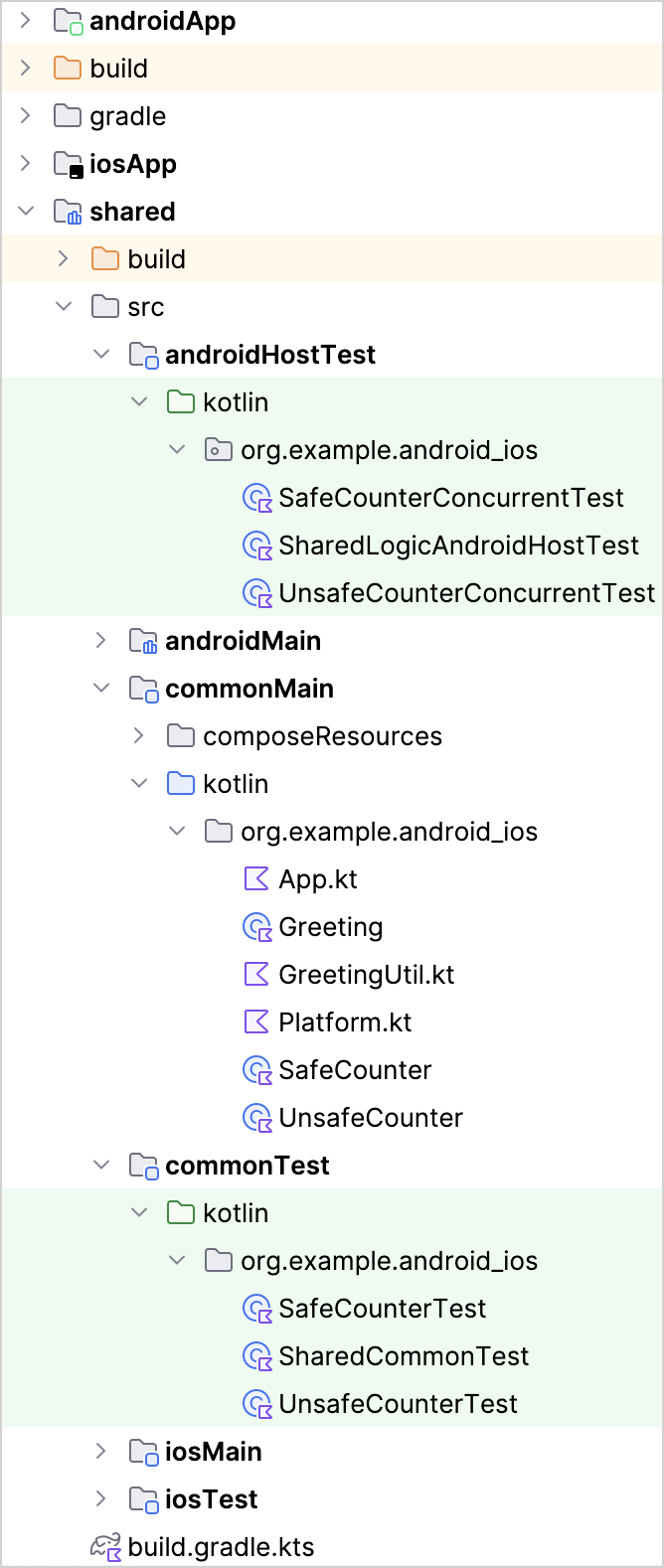
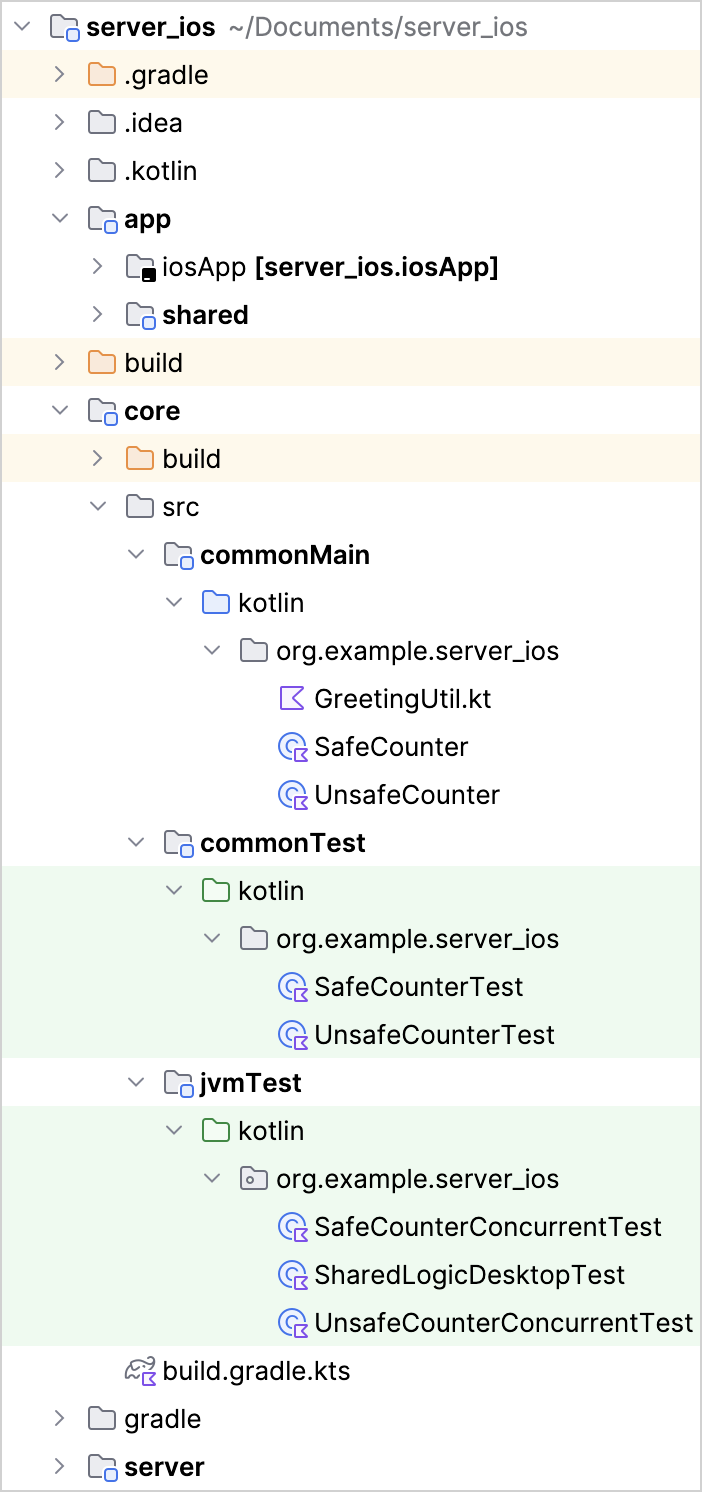
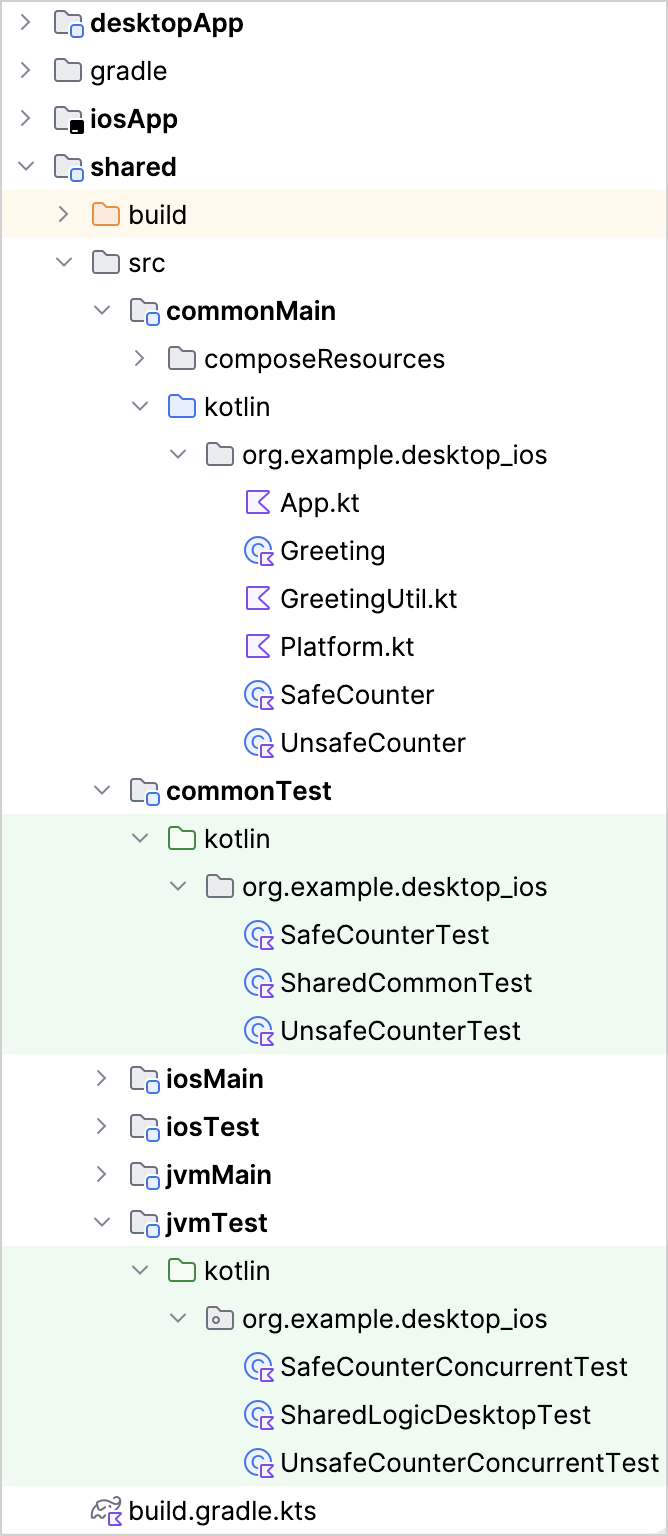
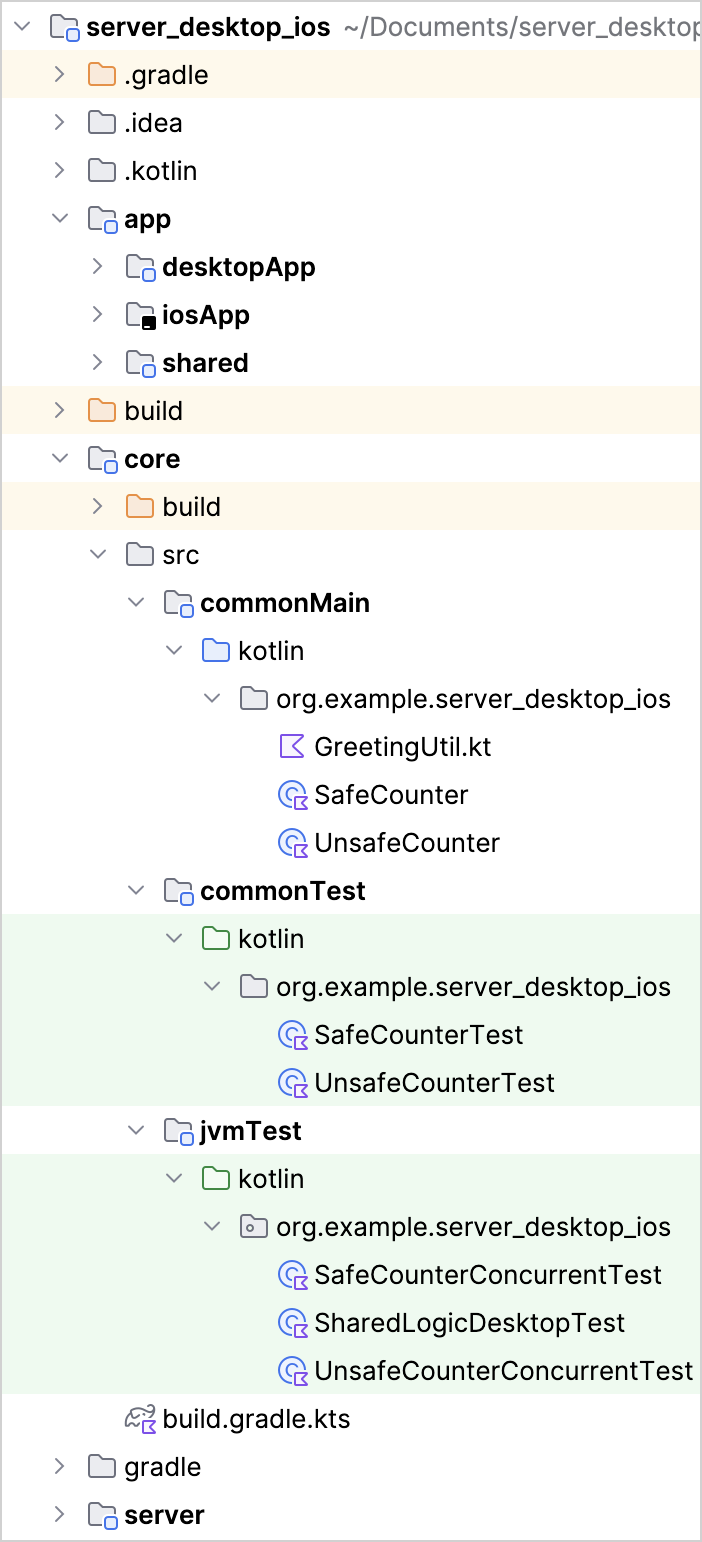
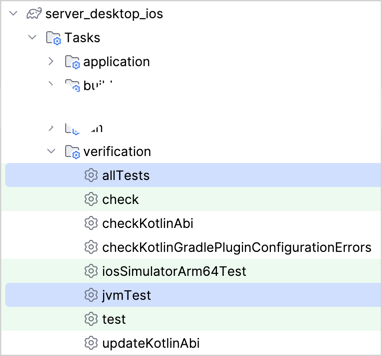
You can run individual tests from the context menu, using the shortcut, or by running a Gradle task. If you run the allTests Gradle task, every test in your project will be executed with the corresponding test runner:
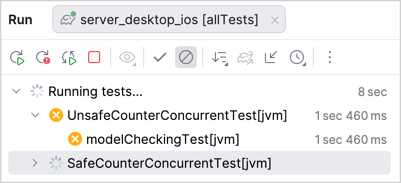
For example, the JVM-specific tests are executed with the JVM test runner:
Support for platforms other than the JVM
Lincheck is unlikely to support other platforms in the future.
Lincheck relies heavily on JVM for bytecode manipulation, which makes model checking challenging to implement on other platforms. Moreover, using model checking for multiple platforms at the same time provides little value because Lincheck tests the code in a deterministic sandbox environment, and the results of the tests will be the same regardless of the platform.
See also
Learn more about Kotlin Multiplatform
Explore Lincheck documentation