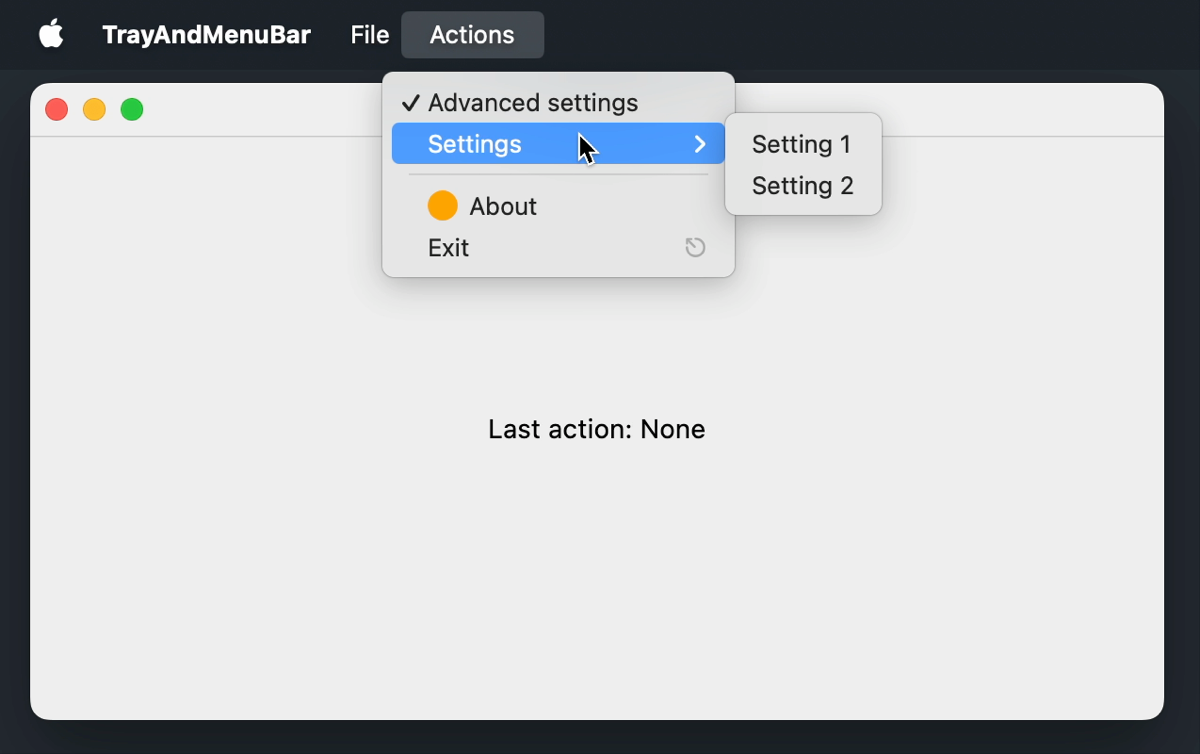
You can create a menu bar for a specific window using the MenuBar() composable. MenuBar() is available in the scope of the Window() composable, so each window can have its own menu bar.
You can use the following components in MenuBar():
Menu() – a menu or a submenu
Item() – a clickable menu item
CheckboxItem() – an item with a checkbox
RadioButtonItem() – an item with a radio button
Separator() – a horizontal line that separates groups of items
Items and menus accept a mnemonic parameter, a character that opens the menu or triggers the item when pressed together with Alt. If the character occurs in the text, its first occurrence is underlined. Items also accept a shortcut parameter – a KeyShortcut that triggers the action without navigating the menu.
Menu content is composable, so you can use conditions and loops inside MenuBar() to decide which items exist. When the state they read changes, the menu updates. In the following example, the Settings submenu only exists while the Advanced settings checkbox is selected:
On Windows and Linux, the menu bar is part of the window. On macOS, it's displayed in the system menu bar at the top of the screen when the window is active.
What's next
Learn how to add an application icon and a menu to the system tray.