Compose UI previews
You can create preview composables to see your UI rendered in the IDE (IntelliJ IDEA and Android Studio) without running an emulator. This core Jetpack Compose feature allows you to easily visualize individual components with test data in various configurations. Additionally, you can use Compose Hot Reload to instantly see code changes reflected in a live application running on the desktop JVM target.
Compose Multiplatform initially implemented a limited @Preview annotation as a custom library, but starting with version 1.10.0, this implementation has been deprecated as the original AndroidX annotation is now fully multiplatform.
On this page, you can find:
how to enable previews in common code for different project configurations,
how to use and customize previews with additional parameters,
overview of supported combinations of Compose Multiplatform, AGP, and annotations.
Preview setup
If you're starting from scratch, you can create a new project using the IDE wizard, which comes pre-configured
To get started, simply install the Kotlin Multiplatform IDE plugin, available for both IntelliJ IDEA and Android Studio. The new project will include a ready-to-use App function annotated with @Preview:
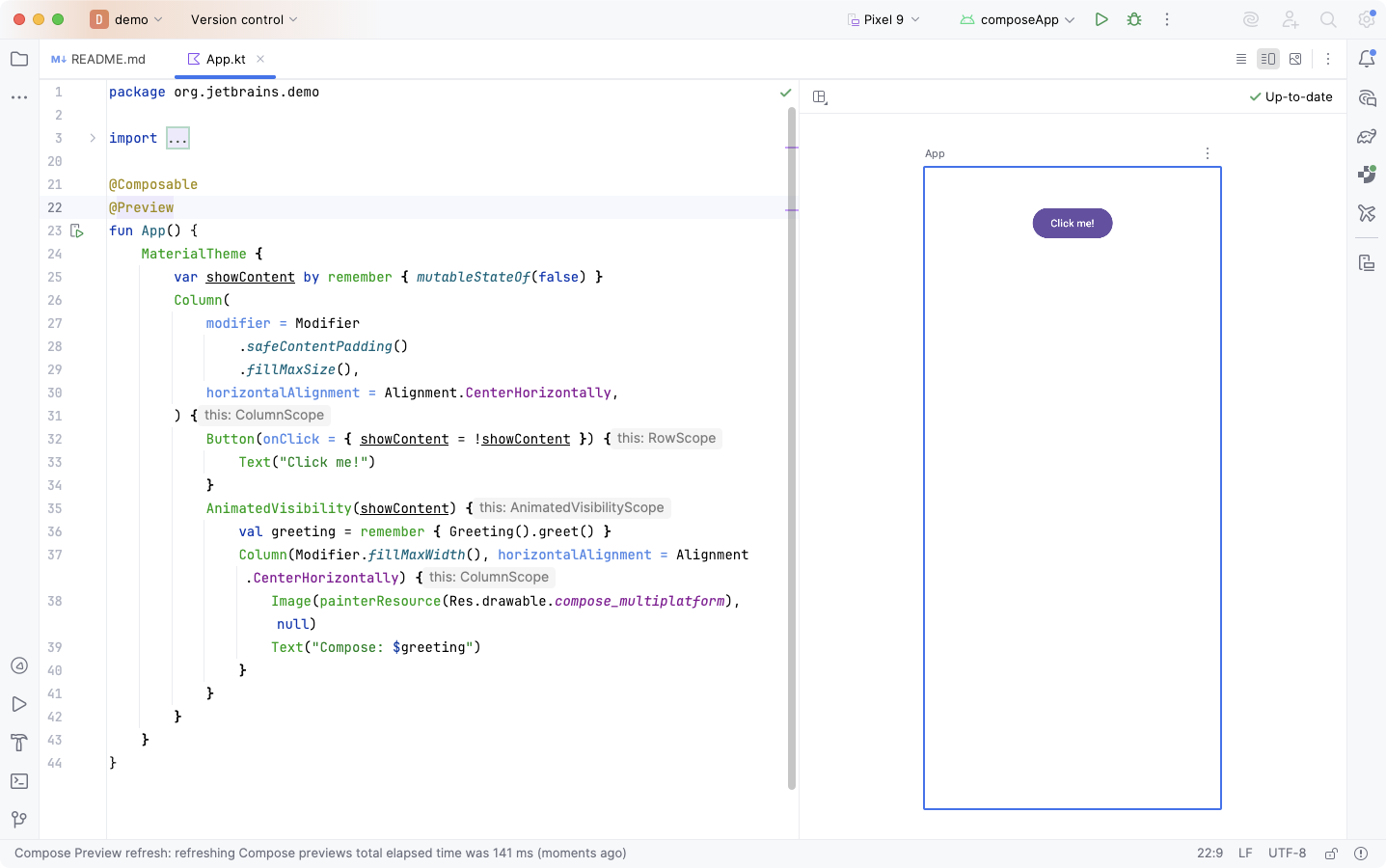
To enable preview support in an existing project, add the necessary dependencies to the build.gradle.kts file of your KMP module:
The annotation dependency for the
commonMainsource set: the old or the new one, depending on the Compose Multiplatform version.The tooling dependency on the classpath, whose declaration depends on the Android configuration.
The annotation dependency should point to one of the @Preview implementations, for example:
The tooling dependency should be declared in the root dependencies {} block of the build.gradle.kts file in your common code module in one of two ways, depending on your Android target configuration:
If you're using the
com.android.applicationorcom.android.libraryplugin:dependencies { debugImplementation("org.jetbrains.compose.ui:ui-tooling:1.10.0") }If you're using the
com.android.kotlin.multiplatform.libraryplugin:dependencies { androidRuntimeClasspath("org.jetbrains.compose.ui:ui-tooling:1.10.0") }
Use previews
Compose Multiplatform allows to use the full preview functionality provided by Android tooling. You can make previews interactive, copy a preview as an image, or display multiple versions of the same @Preview composable with different parameters. For more details on available features, check out the Android guide on previews.
By configuring additional parameters, you can control how a @Composable function is rendered in design-time previews. Compose Multiplatform supports the following parameters for the @Preview annotation:
name: The display name of the preview.group: The group name for the preview, enabling the logical organization and selective display of related previews.widthDp: The maximum width, in dp.heightDp: The maximum height, in dp.locale: The current locale of the application.showBackground: A flag that determines whether to apply the default background color to the preview.backgroundColor: A 32-bit ARGB color integer defining the preview’s background color.
Supported configurations
Depending on the version of your dependencies and the configuration style of your project, there are several supported combinations that you can use to enable Compose previews:
Compose Multiplatform 1.9, with the old
@Previewannotation and Android configured withandroidTarget {}.Compose Multiplatform 1.10, with the old
@Previewannotation and Android configured withandroidTarget {}.Compose Multiplatform 1.10, with the new
@Previewannotation and Android configured withandroidTarget {}.Compose Multiplatform 1.10, with the new
@Previewannotation and Android configured withandroidLibrary {}with AGP 9.0. See our AGP 9.0 migration guide for details on upgrading your KMP apps.
Available annotations
There are two @Preview annotations available in Compose Multiplatform:
androidx.compose.ui.tooling.preview.PreviewThis is the original Android Jetpack annotation, made multiplatform with Compose Multiplatform 1.10. It supports all parameters from the Android declaration in common code.
The necessary runtime dependency is
org.jetbrains.compose.ui:ui-tooling-preview.This is the recommended annotation to use going forward.
org.jetbrains.compose.ui.tooling.preview.PreviewThis was the first multiplatform implementation of the annotation, emulating the Android-only experience. It supports a limited number of parameters, but provides basic preview functionality.
The necessary runtime dependency is
org.jetbrains.compose.components:components-ui-tooling-preview.This annotation is now deprecated in Compose Multiplatform 1.10.
To use one of these annotations in your shared code, add the appropriate runtime dependency for your commonMain source set, as shown above.
Android target configurations
If your project uses Android Gradle plugin 8.x, the Kotlin Multiplatform part of the project should use either the Android application (com.android.application) or the Android library (com.android.library) plugin, and the Android configuration is contained in the androidTarget {} block of your build.gradle.kts file.
For Android Gradle plugin 9.0, there is a new KMP Android library plugin (com.android.kotlin.multiplatform.library) which introduces the androidLibrary {} block for Android configuration. While it's also possible to use this plugin with AGP 8.x, that combination has known issues and is not recommended.
For details on upgrading to AGP 9.0, see our migration page.