Tab navigation and keyboard focus In Compose Multiplatform for desktop, you can set up navigation between components with the Tab Shift+Tab
Default tab navigation By default, tab navigation allows users to move between focusable components in the order of their appearance. This functionality is enabled by default and doesn't require any additional code.
Focusable components include anything that uses the clickable(), selectable(), toggleable(), or focusable() modifiers in its implementation. For example, text fields, buttons, sliders, navigation items, selection controls with a non-null callback, onClick overloads of Card(), Surface(), and ListItem().
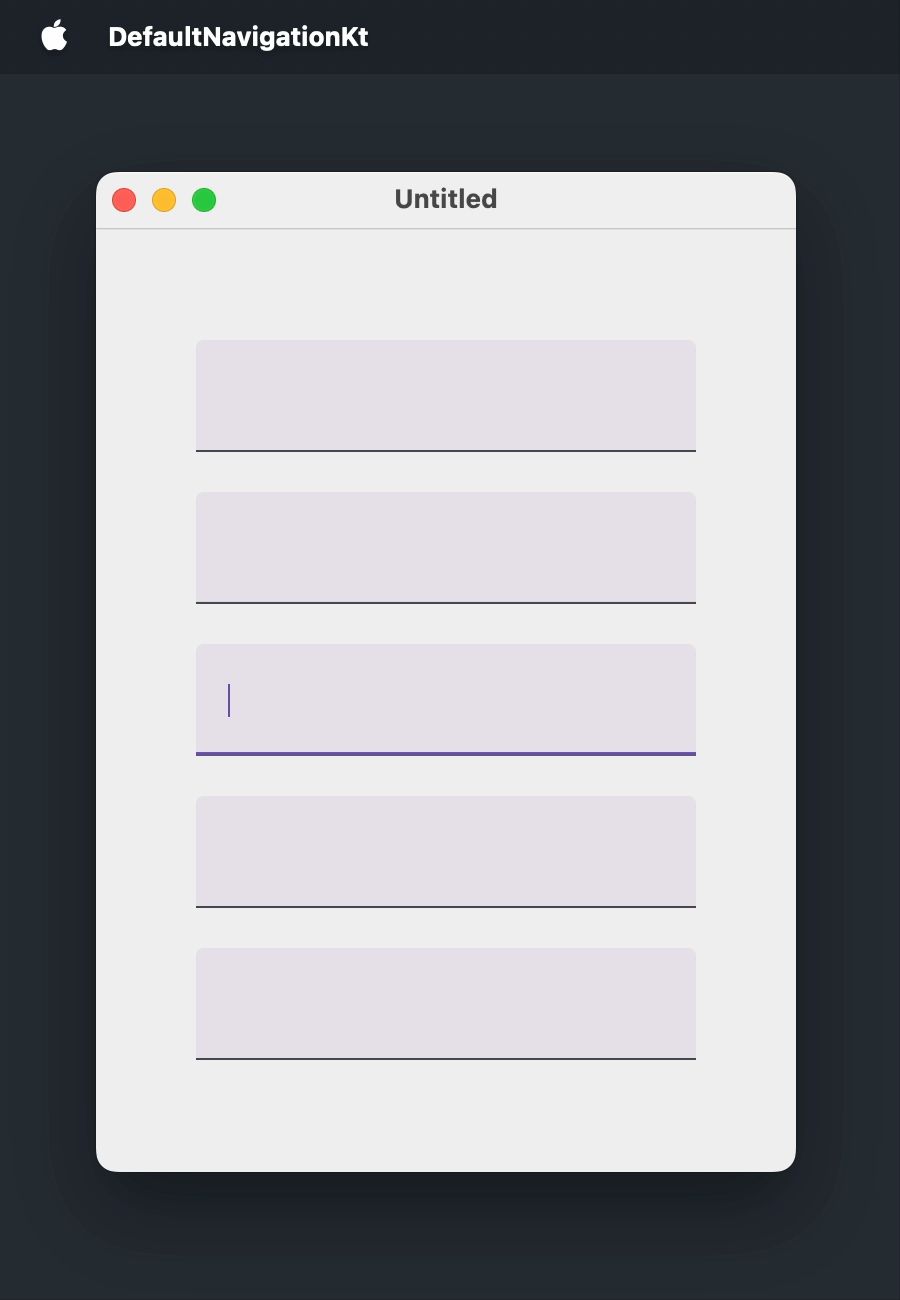
Here is a window where the user can navigate between five text fields using standard shortcuts:
import androidx.compose.foundation.layout.Arrangement
import androidx.compose.foundation.layout.Box
import androidx.compose.foundation.layout.Column
import androidx.compose.foundation.layout.fillMaxSize
import androidx.compose.foundation.layout.padding
import androidx.compose.foundation.text.input.TextFieldLineLimits
import androidx.compose.foundation.text.input.rememberTextFieldState
import androidx.compose.material3.TextField
import androidx.compose.ui.Alignment
import androidx.compose.ui.Modifier
import androidx.compose.ui.unit.DpSize
import androidx.compose.ui.unit.dp
import androidx.compose.ui.window.Window
import androidx.compose.ui.window.WindowState
import androidx.compose.ui.window.application
fun main() = application {
Window(
onCloseRequest = ::exitApplication,
state = WindowState(size = DpSize(350.dp, 500.dp))
) {
Box(
modifier = Modifier.fillMaxSize(),
contentAlignment = Alignment.Center
) {
Column(
modifier = Modifier.padding(50.dp),
verticalArrangement = Arrangement.spacedBy(20.dp)
) {
repeat(5) {
TextField(
state = rememberTextFieldState(),
lineLimits = TextFieldLineLimits.SingleLine
)
}
}
}
}
}
Custom focusable components To include a component that isn't focusable by default in the tab order, apply the focusable() modifier.
To change the appearance of the component when it receives focus, pass a MutableInteractionSource to the focusable() modifier, read the focus state from it with collectIsFocusedAsState(), and use that state to change the style of the component: a different background, a border, or any other highlight. To make the component react to keyboard presses, handle key events with the onKeyEvent() modifier.
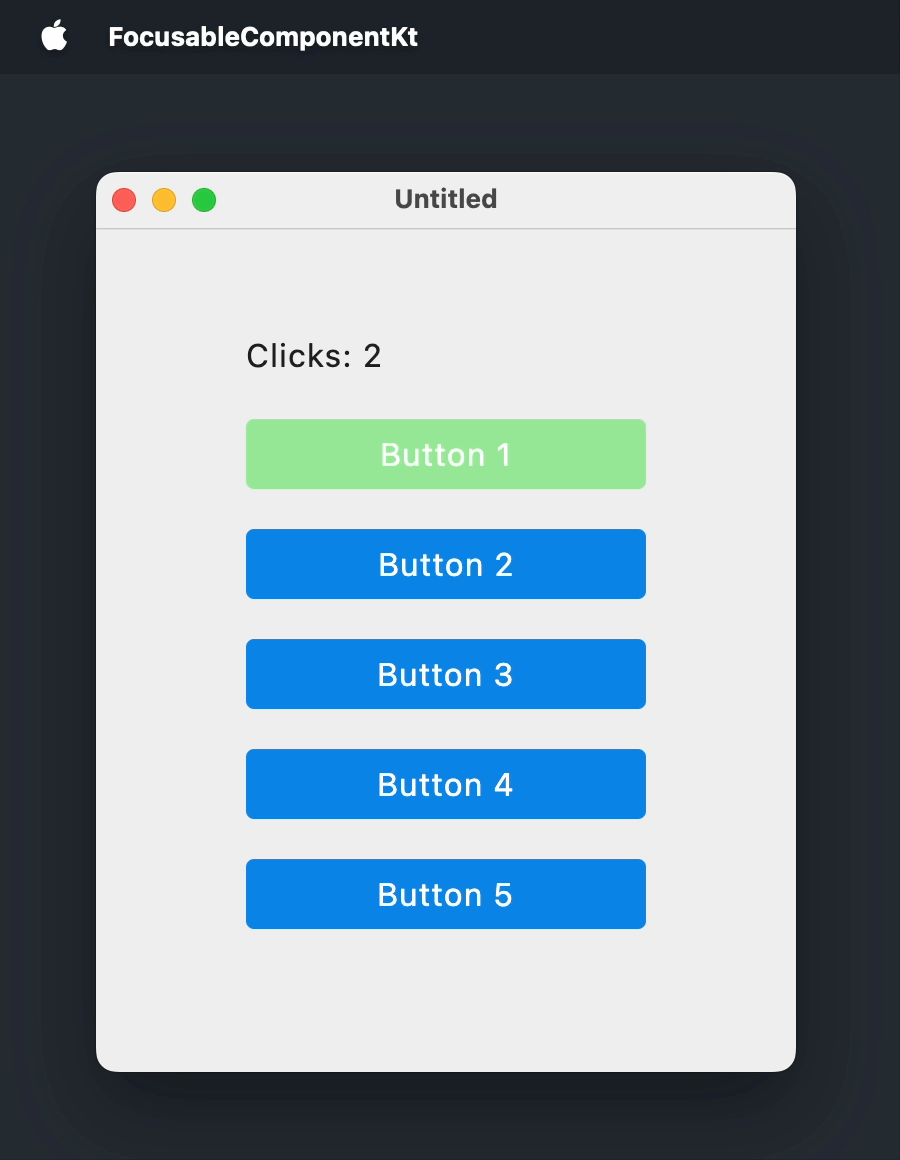
The following example turns a Box() composable into a button-like component. The box is highlighted when focused, and pressing Enter Space
import androidx.compose.foundation.background
import androidx.compose.foundation.focusable
import androidx.compose.foundation.interaction.MutableInteractionSource
import androidx.compose.foundation.interaction.collectIsFocusedAsState
import androidx.compose.foundation.layout.Arrangement
import androidx.compose.foundation.layout.Box
import androidx.compose.foundation.layout.Column
import androidx.compose.foundation.layout.fillMaxSize
import androidx.compose.foundation.layout.padding
import androidx.compose.foundation.layout.size
import androidx.compose.foundation.shape.RoundedCornerShape
import androidx.compose.material3.MaterialTheme
import androidx.compose.material3.Text
import androidx.compose.runtime.Composable
import androidx.compose.runtime.getValue
import androidx.compose.runtime.mutableStateOf
import androidx.compose.runtime.remember
import androidx.compose.runtime.setValue
import androidx.compose.ui.Alignment
import androidx.compose.ui.ExperimentalComposeUiApi
import androidx.compose.ui.Modifier
import androidx.compose.ui.draw.clip
import androidx.compose.ui.graphics.Color
import androidx.compose.ui.graphics.lerp
import androidx.compose.ui.input.key.Key
import androidx.compose.ui.input.key.KeyEventType
import androidx.compose.ui.input.key.key
import androidx.compose.ui.input.key.onKeyEvent
import androidx.compose.ui.input.key.type
import androidx.compose.ui.input.pointer.PointerEventType
import androidx.compose.ui.input.pointer.onPointerEvent
import androidx.compose.ui.unit.DpSize
import androidx.compose.ui.unit.dp
import androidx.compose.ui.window.Window
import androidx.compose.ui.window.WindowState
import androidx.compose.ui.window.application
fun main() = application {
Window(
onCloseRequest = ::exitApplication,
state = WindowState(size = DpSize(350.dp, 450.dp))
) {
MaterialTheme(
colorScheme = MaterialTheme.colorScheme.copy(
primary = Color(10, 132, 232),
secondary = Color(150, 232, 150)
)
) {
var clicks by remember { mutableStateOf(0) }
Box(
modifier = Modifier.fillMaxSize(),
contentAlignment = Alignment.Center
) {
Column(
modifier = Modifier.padding(40.dp),
verticalArrangement = Arrangement.spacedBy(20.dp)
) {
Text(text = "Clicks: $clicks")
repeat(5) { index ->
FocusableBox("Button ${index + 1}", onClick = { clicks++ })
}
}
}
}
}
}
@OptIn(ExperimentalComposeUiApi::class)
@Composable
fun FocusableBox(
text: String = "",
onClick: () -> Unit = {},
size: DpSize = DpSize(200.dp, 35.dp)
) {
var isKeyPressed by remember { mutableStateOf(false) }
val interactionSource = remember { MutableInteractionSource() }
val isFocused by interactionSource.collectIsFocusedAsState()
val backgroundColor = when {
isFocused && isKeyPressed -> lerp(MaterialTheme.colorScheme.secondary, Color(64, 64, 64), 0.3f)
isFocused -> MaterialTheme.colorScheme.secondary
else -> MaterialTheme.colorScheme.primary
}
Box(
modifier = Modifier
.clip(RoundedCornerShape(4.dp))
.background(backgroundColor)
.size(size)
.onPointerEvent(PointerEventType.Press) { onClick() }
.onKeyEvent {
if (it.key == Key.Enter || it.key == Key.Spacebar) {
when (it.type) {
KeyEventType.KeyDown -> isKeyPressed = true
KeyEventType.KeyUp -> {
isKeyPressed = false
onClick()
}
}
}
false
}
.focusable(interactionSource = interactionSource),
contentAlignment = Alignment.Center
) {
Text(text = text, color = Color.White)
}
}
Custom tab order To move focus in an order other than the order of appearance, combine two modifiers:
focusRequester() attaches a FocusRequester handle to a focusable component. If the component is not focusable by default , apply the focusable() modifier after focusRequester().
focusProperties() sets the next and previous elements in the tab order: components with a FocusRequester handle that are focused by pressing Tab Shift+Tab
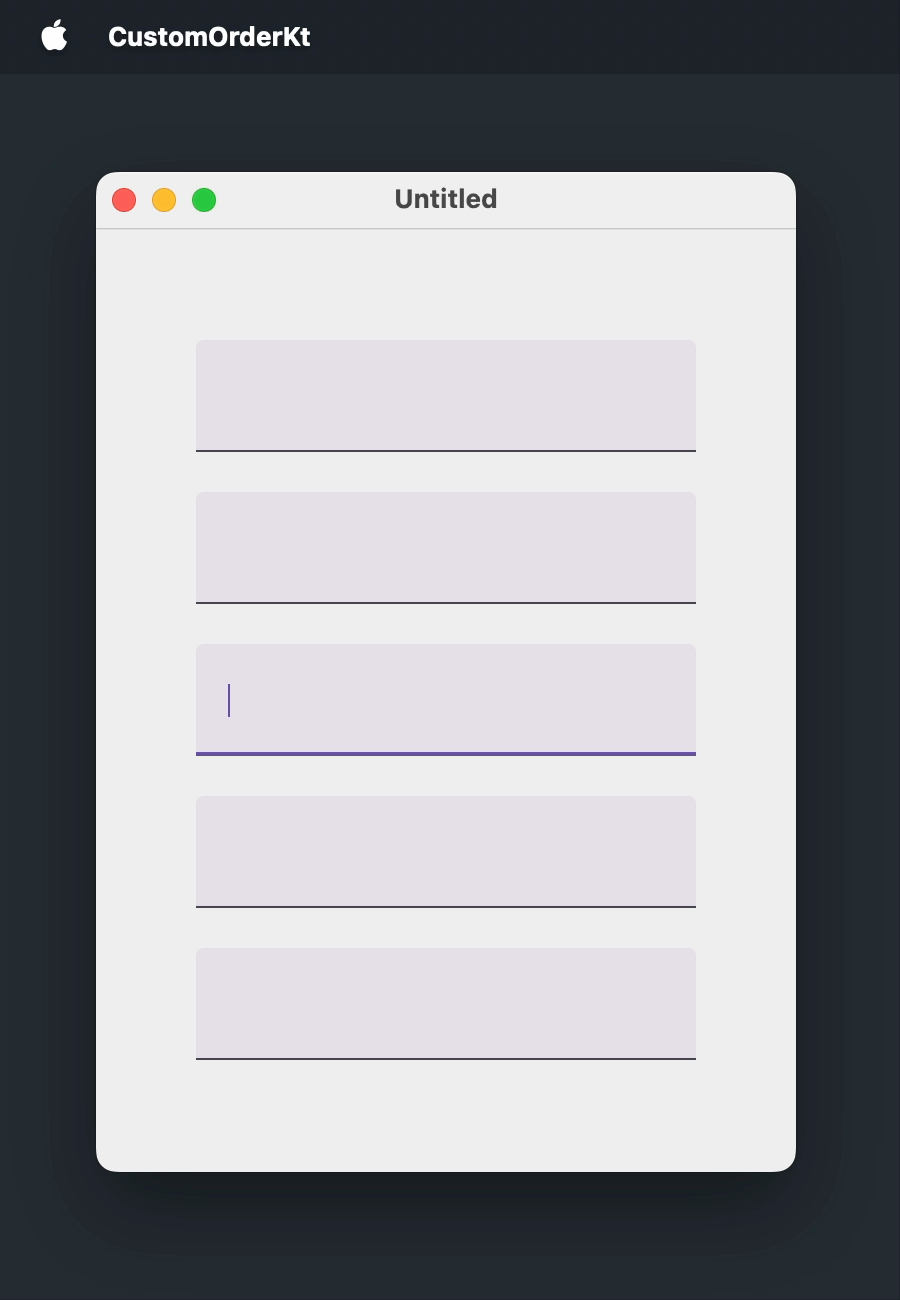
The following example creates a FocusRequester for each of the five text fields and reverses the default tab order:
import androidx.compose.foundation.layout.Arrangement
import androidx.compose.foundation.layout.Box
import androidx.compose.foundation.layout.Column
import androidx.compose.foundation.layout.fillMaxSize
import androidx.compose.foundation.layout.padding
import androidx.compose.foundation.text.input.TextFieldLineLimits
import androidx.compose.foundation.text.input.rememberTextFieldState
import androidx.compose.material3.TextField
import androidx.compose.runtime.remember
import androidx.compose.ui.Alignment
import androidx.compose.ui.Modifier
import androidx.compose.ui.focus.FocusRequester
import androidx.compose.ui.focus.focusProperties
import androidx.compose.ui.focus.focusRequester
import androidx.compose.ui.unit.DpSize
import androidx.compose.ui.unit.dp
import androidx.compose.ui.window.Window
import androidx.compose.ui.window.WindowState
import androidx.compose.ui.window.application
fun main() = application {
Window(
onCloseRequest = ::exitApplication,
state = WindowState(size = DpSize(350.dp, 500.dp))
) {
val focusRequesters = remember { List(5) { FocusRequester() } }
Box(
modifier = Modifier.fillMaxSize(),
contentAlignment = Alignment.Center
) {
Column(
modifier = Modifier.padding(50.dp),
verticalArrangement = Arrangement.spacedBy(20.dp)
) {
focusRequesters.forEachIndexed { index, focusRequester ->
TextField(
state = rememberTextFieldState(),
lineLimits = TextFieldLineLimits.SingleLine,
modifier = Modifier
.focusRequester(focusRequester)
.focusProperties {
// Reverses the default order:
next = focusRequesters[(index - 1 + focusRequesters.size) % focusRequesters.size]
previous = focusRequesters[(index + 1) % focusRequesters.size]
}
)
}
}
}
}
}
Moving focus from code To bring a component into focus without user interaction, attach FocusRequester to a focusable component using the focusRequester() modifier and call FocusRequester.requestFocus(). If the component is not focusable by default , the focusable() modifier should be applied after focusRequester().
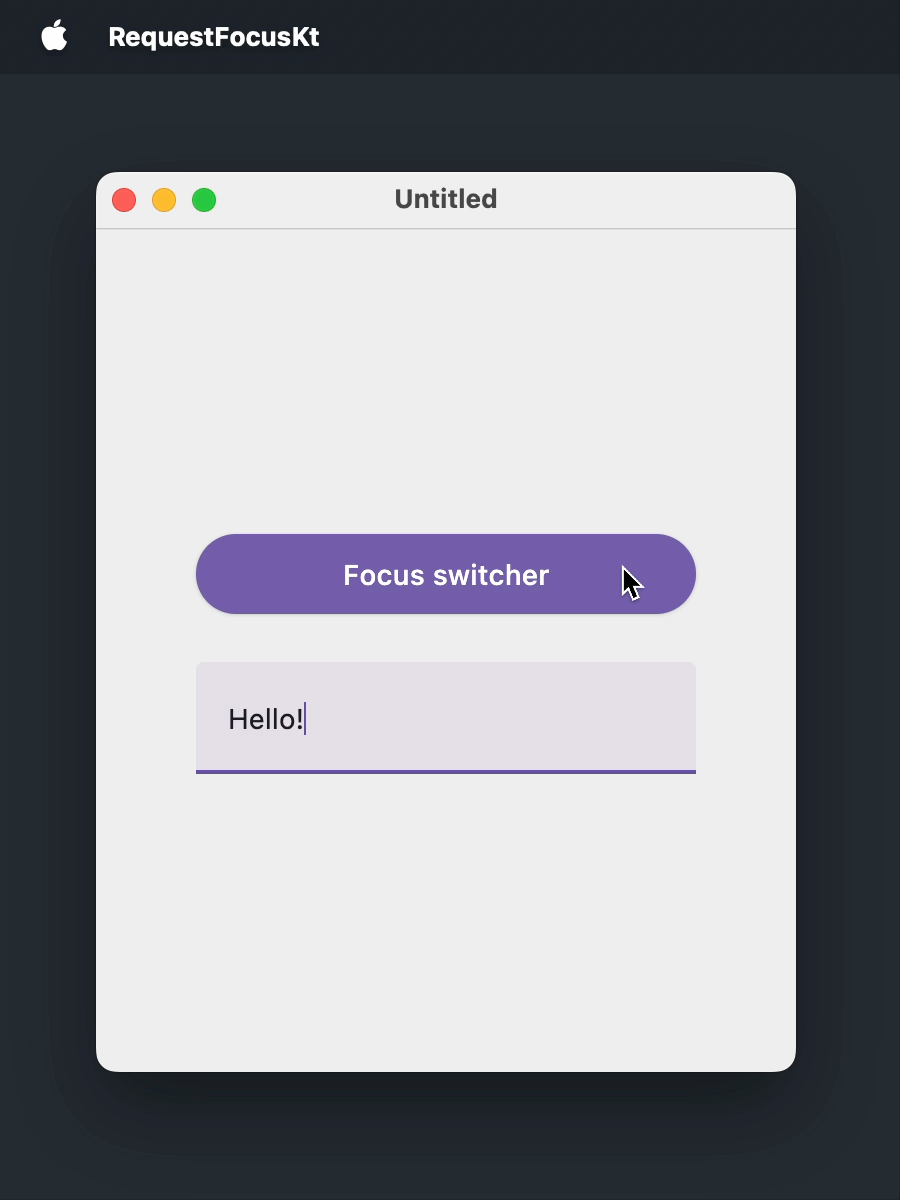
In the following example, a button moves the focus to a text field and back to itself:
import androidx.compose.foundation.layout.Arrangement
import androidx.compose.foundation.layout.Box
import androidx.compose.foundation.layout.Column
import androidx.compose.foundation.layout.fillMaxSize
import androidx.compose.foundation.layout.fillMaxWidth
import androidx.compose.foundation.layout.padding
import androidx.compose.foundation.text.input.TextFieldLineLimits
import androidx.compose.foundation.text.input.rememberTextFieldState
import androidx.compose.material3.Button
import androidx.compose.material3.Text
import androidx.compose.material3.TextField
import androidx.compose.runtime.getValue
import androidx.compose.runtime.mutableStateOf
import androidx.compose.runtime.remember
import androidx.compose.runtime.setValue
import androidx.compose.ui.Alignment
import androidx.compose.ui.Modifier
import androidx.compose.ui.focus.FocusRequester
import androidx.compose.ui.focus.focusRequester
import androidx.compose.ui.unit.DpSize
import androidx.compose.ui.unit.dp
import androidx.compose.ui.window.Window
import androidx.compose.ui.window.WindowState
import androidx.compose.ui.window.application
fun main() = application {
Window(
onCloseRequest = ::exitApplication,
state = WindowState(size = DpSize(350.dp, 450.dp))
) {
val buttonFocusRequester = remember { FocusRequester() }
val textFieldFocusRequester = remember { FocusRequester() }
var isTextFieldFocused by remember { mutableStateOf(false) }
Box(
modifier = Modifier.fillMaxSize(),
contentAlignment = Alignment.Center
) {
Column(
modifier = Modifier.padding(50.dp),
verticalArrangement = Arrangement.spacedBy(20.dp)
) {
Button(
onClick = {
isTextFieldFocused = !isTextFieldFocused
if (isTextFieldFocused) {
textFieldFocusRequester.requestFocus()
} else {
buttonFocusRequester.requestFocus()
}
},
modifier = Modifier
.fillMaxWidth()
.focusRequester(buttonFocusRequester)
) {
Text(text = "Focus switcher")
}
TextField(
state = rememberTextFieldState(),
lineLimits = TextFieldLineLimits.SingleLine,
modifier = Modifier.focusRequester(textFieldFocusRequester)
)
}
}
}
}
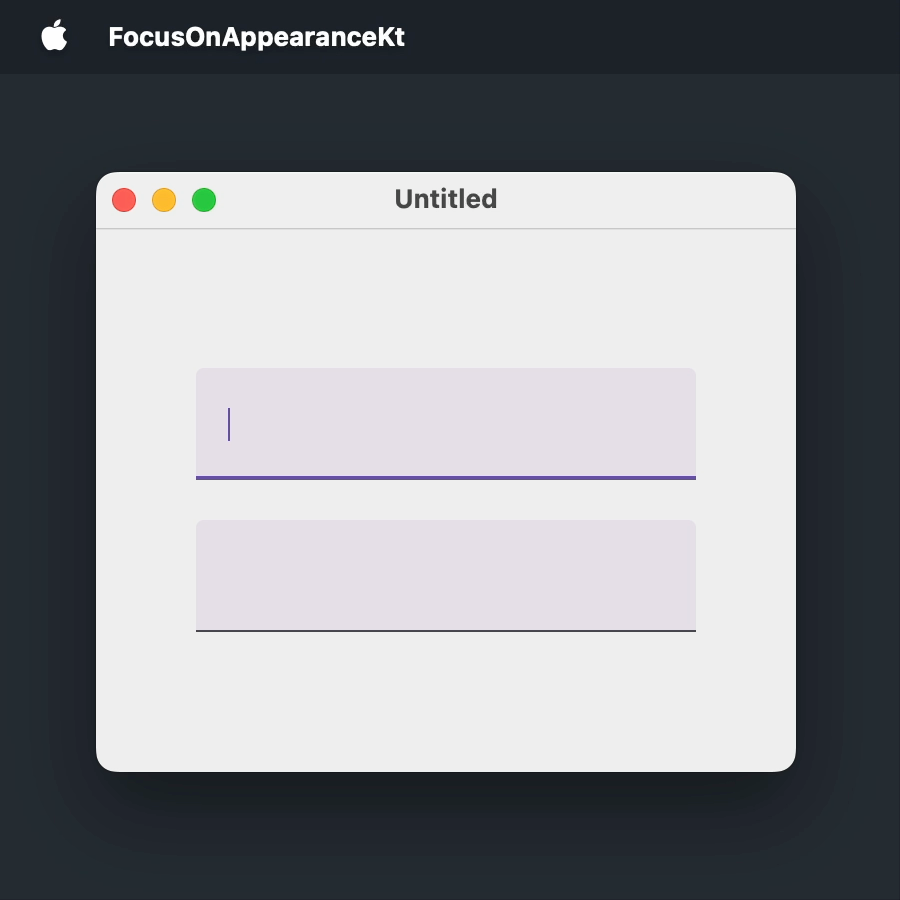
Focusing a component when it appears Forms and dialogs commonly focus their first input right away, so the user can start typing without reaching for the mouse. In this use case, request focus from a LaunchedEffect(Unit) block, which runs once after the component enters the composition.
In the following example, the first text field is focused as soon as the window opens:
import androidx.compose.foundation.layout.Arrangement
import androidx.compose.foundation.layout.Box
import androidx.compose.foundation.layout.Column
import androidx.compose.foundation.layout.fillMaxSize
import androidx.compose.foundation.layout.padding
import androidx.compose.foundation.text.input.TextFieldLineLimits
import androidx.compose.foundation.text.input.rememberTextFieldState
import androidx.compose.material3.TextField
import androidx.compose.runtime.LaunchedEffect
import androidx.compose.runtime.remember
import androidx.compose.ui.Alignment
import androidx.compose.ui.Modifier
import androidx.compose.ui.focus.FocusRequester
import androidx.compose.ui.focus.focusRequester
import androidx.compose.ui.unit.DpSize
import androidx.compose.ui.unit.dp
import androidx.compose.ui.window.Window
import androidx.compose.ui.window.WindowState
import androidx.compose.ui.window.application
fun main() = application {
Window(
onCloseRequest = ::exitApplication,
state = WindowState(size = DpSize(350.dp, 300.dp))
) {
val focusRequester = remember { FocusRequester() }
Box(
modifier = Modifier.fillMaxSize(),
contentAlignment = Alignment.Center
) {
Column(
modifier = Modifier.padding(50.dp),
verticalArrangement = Arrangement.spacedBy(20.dp)
) {
TextField(
state = rememberTextFieldState(),
lineLimits = TextFieldLineLimits.SingleLine,
modifier = Modifier.focusRequester(focusRequester)
)
TextField(
state = rememberTextFieldState(),
lineLimits = TextFieldLineLimits.SingleLine
)
}
}
LaunchedEffect(Unit) {
focusRequester.requestFocus()
}
}
}
Moving focus from multiline text fields In multiline text fields, pressing Tab
Column {
repeat(5) {
TextField(
state = rememberTextFieldState("Hello, World!"),
// MultiLine is the default value of lineLimits
lineLimits = TextFieldLineLimits.MultiLine(),
modifier = Modifier.padding(8.dp)
)
}
}
This is a known issue, CMP-5822 . It affects any text field that accepts more than one line, which is the default behavior. As a workaround, intercept the Tab onPreviewKeyEvent modifier and move the focus using the FocusManager from LocalFocusManager:
import androidx.compose.foundation.layout.Column
import androidx.compose.foundation.layout.padding
import androidx.compose.foundation.text.input.TextFieldLineLimits
import androidx.compose.foundation.text.input.rememberTextFieldState
import androidx.compose.material3.TextField
import androidx.compose.runtime.Composable
import androidx.compose.ui.Modifier
import androidx.compose.ui.focus.FocusDirection
import androidx.compose.ui.input.key.Key
import androidx.compose.ui.input.key.KeyEventType
import androidx.compose.ui.input.key.isShiftPressed
import androidx.compose.ui.input.key.key
import androidx.compose.ui.input.key.onPreviewKeyEvent
import androidx.compose.ui.input.key.type
import androidx.compose.ui.platform.LocalFocusManager
import androidx.compose.ui.unit.dp
import androidx.compose.ui.window.singleWindowApplication
fun main() = singleWindowApplication(title = "Multiline text fields") {
Column {
repeat(5) {
TextField(
state = rememberTextFieldState("Hello, World!"),
lineLimits = TextFieldLineLimits.MultiLine(),
modifier = Modifier.padding(8.dp).moveFocusOnTab()
)
}
}
}
@Composable
fun Modifier.moveFocusOnTab(): Modifier {
val focusManager = LocalFocusManager.current
return onPreviewKeyEvent {
if (it.type == KeyEventType.KeyDown && it.key == Key.Tab) {
focusManager.moveFocus(
if (it.isShiftPressed) FocusDirection.Previous else FocusDirection.Next
)
true
} else {
false
}
}
}
31 August 2026